

Release 9.3
In release 9.3, we focused on improving the performance of the system when dealing with dashboards requiring processing high amounts of data.
Table of Contents
A slow dashboarding? No more, with the precomputation of the content
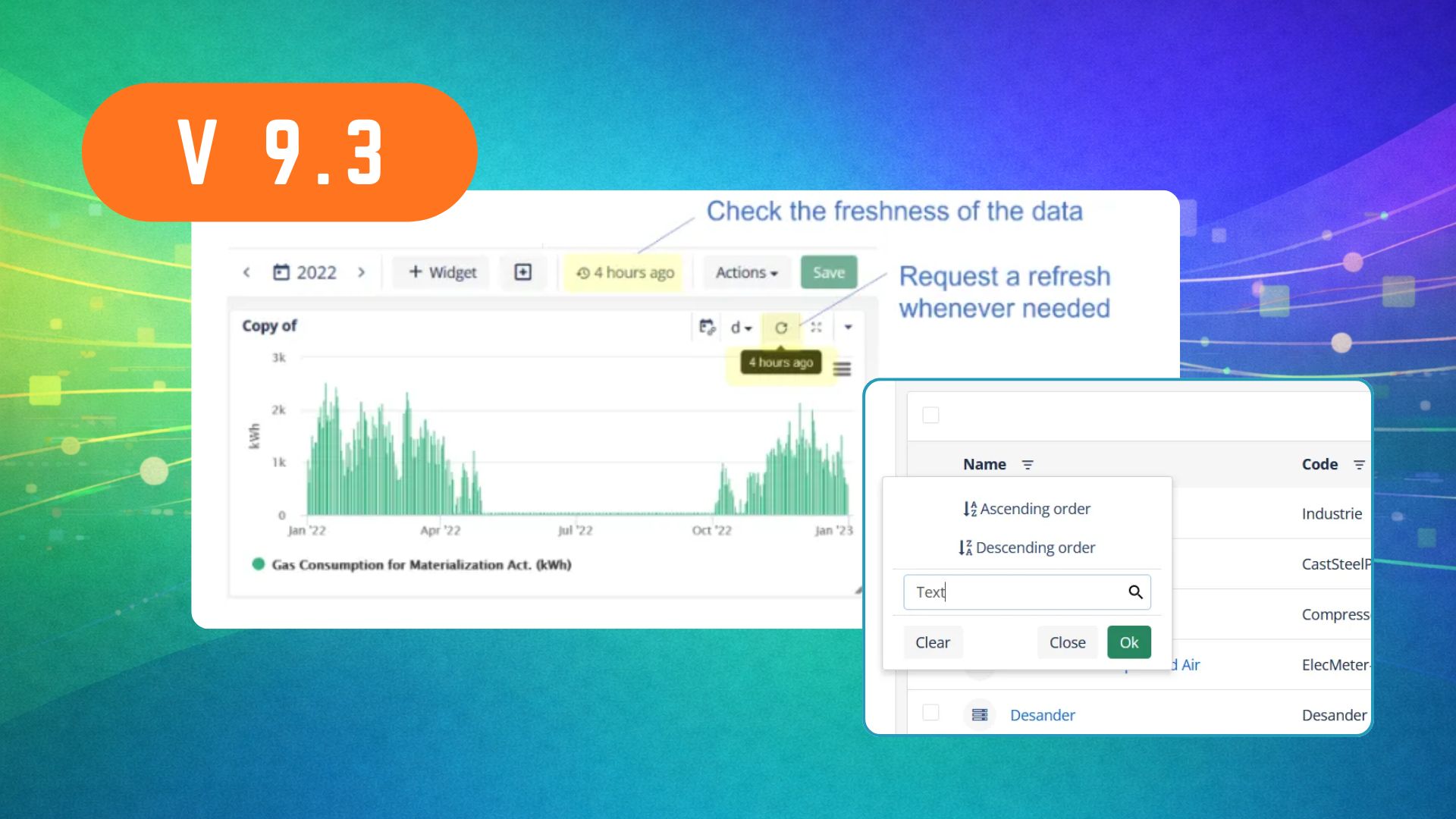
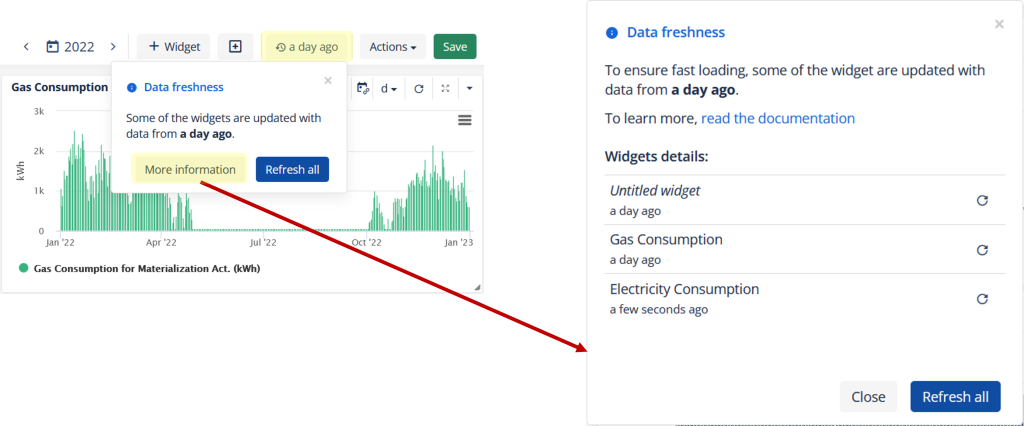
It is now possible to optimize the loading times of complex dashboards by precomputing their values. Once precomputed, the values will load much more quickly. The system also tells you how long ago the precomputation happened. If too old, you always have the possibility to force a data refresh, per widget or for the whole section. In this case, the usual loading time will apply and the resulting values will become the new precomputed values for you and your colleagues, today and later.

To force a request for the whole section, simply press on the freshness indication. In the pop up window that appears, you can also visualize the data freshness per widget by clicking “More information”.
How do I activate precomputation for my slow dashboards ?
The same optimization mechanism can also be applied to Report templates. However, note that the PDF generated will always use fresh data (updating the precomputed values in the process).
How does it work behind the scenes ?
Miscellaneous
Improved filter pop up windows: when opening a filter menu to filter a list, it is now possible to type filter text right away (without having to first click on the text search field) and to use the “Enter” key to validate the selection. Pop up windows have also become more sticky and will not abruptly close when clicking outside the box.

- Include an “asset-aware” dashboard link in automatic emails (admin only): a new “${asset.id}” keyword can be introduced in email templates which, in combination with a dashboard URL, allows to create an asset dependent URL.
Thank you for reading the content of our new release. Please contact us at support@energis.cloud if you have any questions or comments.


